Multi-cloud supportAWS, Azure, and GCP
SNIPMulti-cloud cost intelligence
Find Cloud Savings
You Can Act On.
In Minutes.
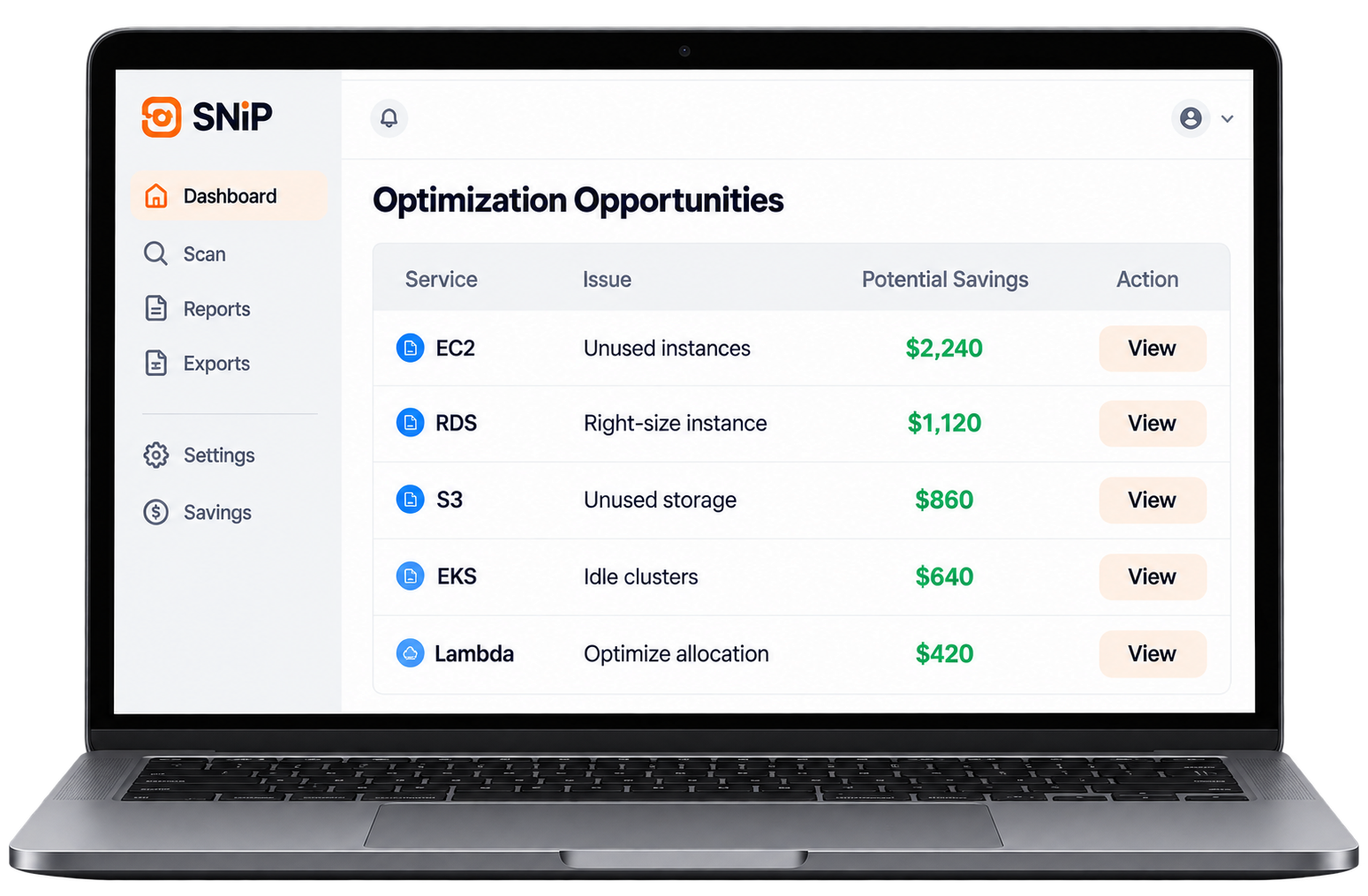
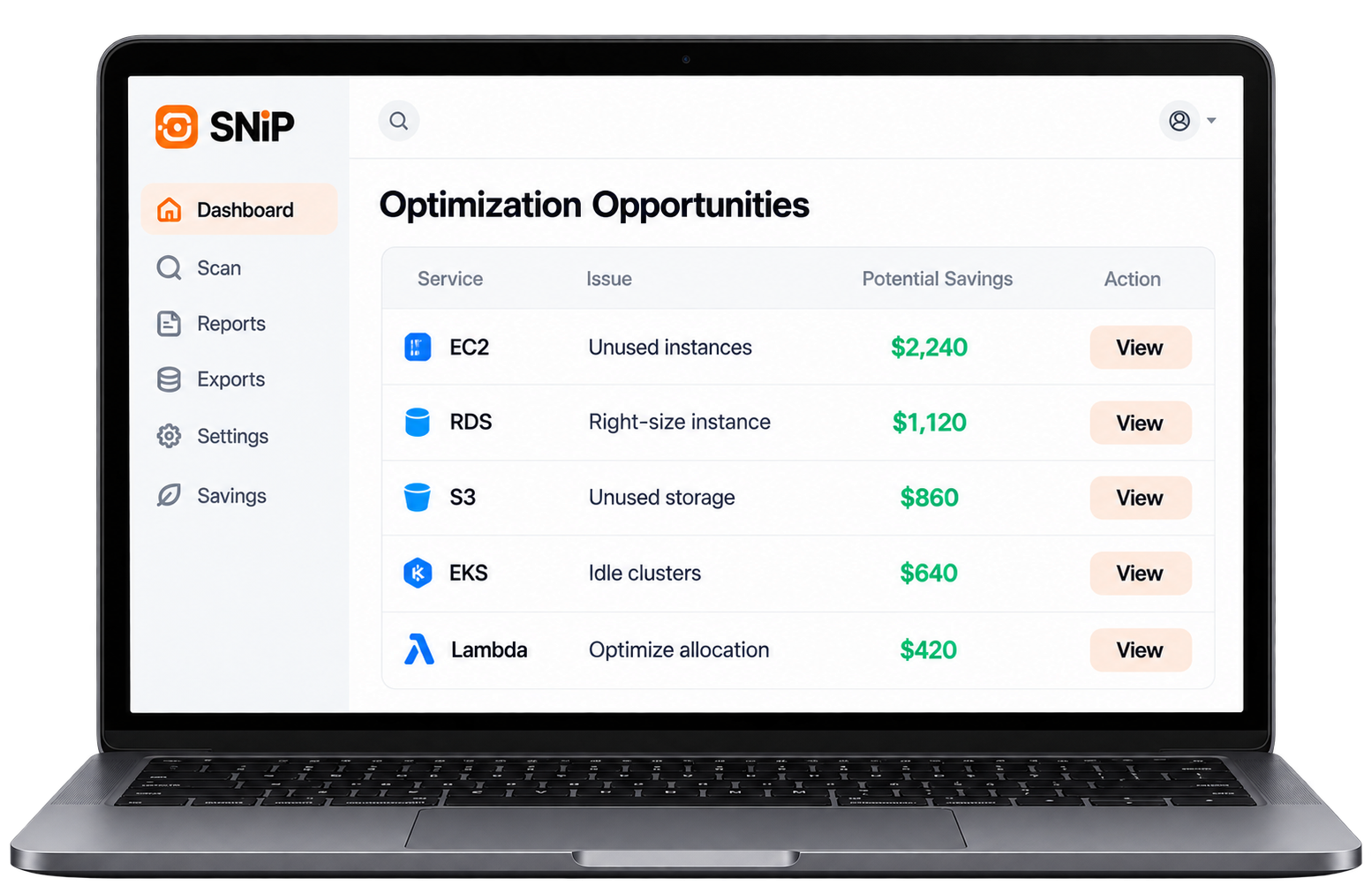
Run a scan, get a branded, executive-ready savings report and uncover real opportunities across your entire cloud environment.
Read-only and safeNo changes to your accounts
AI-ready reportsExecutive-ready in minutes
No agents requiredConnect and scan
The problem
Cloud bills keep growing.
Cloud bills keep growing.
Nobody knows why.
Unoptimized resources, idle services, and misconfigured accounts lead to higher cloud costs and weaker budget control.
The solution
SNIP delivers clarity
SNIP delivers clarity
and real savings.
SNIP scans your cloud environment and identifies cost optimization opportunities with clear recommendations and a professional report.
- Automated multi-cloud scanning
- AI-powered cost analysis
- Branded executive reports
- Easy-to-implement recommendations
How SNIP works
From scan to savings report —
From scan to savings report —
in four simple steps.
- 01Connect
Link AWS, Azure, or GCP with read-only access.
- 02Run a scan
SNIP reads the environment without changing it.
- 03Find opportunities
See where spend can come down.
- 04Get a branded report
Share an executive-ready savings brief.
Reports built for engineering and finance
Turn cloud data into
Turn cloud data into
real business value.
Give finance and engineering a shared view of spend, waste, and the next actions worth taking.
34Findings
18%Savings
12Quick wins
- Rightsize underused compute
- Remove idle storage
- Review unused reservations
Everything you need to reduce cloud waste
Powerful features for modern teams.
Multi-cloud support
AWS, Azure, and GCP in one scan.
AI recommendations
Prioritized actions, not a raw dump.
Cost optimization
See waste by service and account.
Branded reports
A PDF leadership can read.
Security and compliance
Read-only access, nothing changed.
Team collaboration
Share findings with finance and engineering.
Custom recommendations
Focus on the savings that fit your stack.
Easy integration
Connect accounts without an agent.
Who uses SNIP
Trusted by teams across industries.
IT and cloud teams
See waste across accounts without a long audit.
Engineering teams
Find oversized services before the invoice lands.
Finance teams
Get a report that explains the bill.
MSPs and consultants
Deliver a branded savings review to clients.
Frequently asked questions
What is SNIP?
SNIP scans a cloud account and turns the findings into a savings report your team can act on.
Is my data secure?
Access is read-only. SNIP does not change resources in your account.
How long does a scan take?
Most environments return a first report in minutes, not days.
Which cloud providers are supported?
AWS, Azure, and Google Cloud.
Can I use SNIP with a client?
Yes. Export a branded report you can share with a customer or a finance lead.
Do I need to install an agent?
No. Connect the account and run the scan.
Your cloud bill is telling
you something.
Run a SNIP scan today and uncover real savings opportunities across your cloud environment.